
See how the online risk assessment works
Five steps from a blank checklist to a signed Word report. The screens below are the real product, filled in for a made-up company – and further down you can score one real hazard yourself.
From walking the floor to a report you can sign
Nothing to install and no spreadsheet. You sign in, answer the controls for the work you actually do, and the calculation, the Action Plan and the report are done for you.
- STEP 1
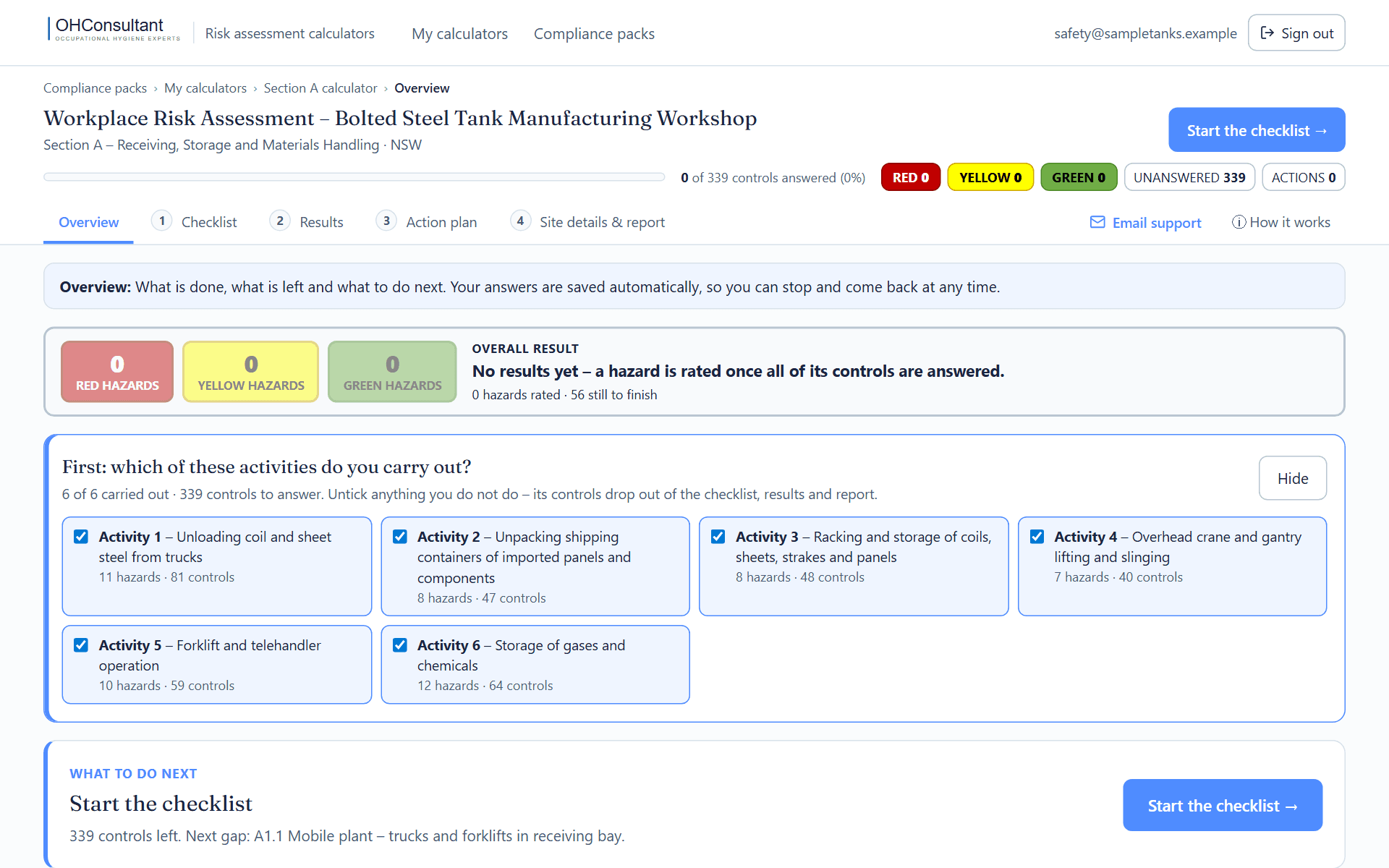
Tick the activities you carry out
Each section opens on an overview of what is done, what is left and what to do next. Start by unticking any activity you do not do – all of its controls drop out of the checklist, the results and the report in one go.
- STEP 2
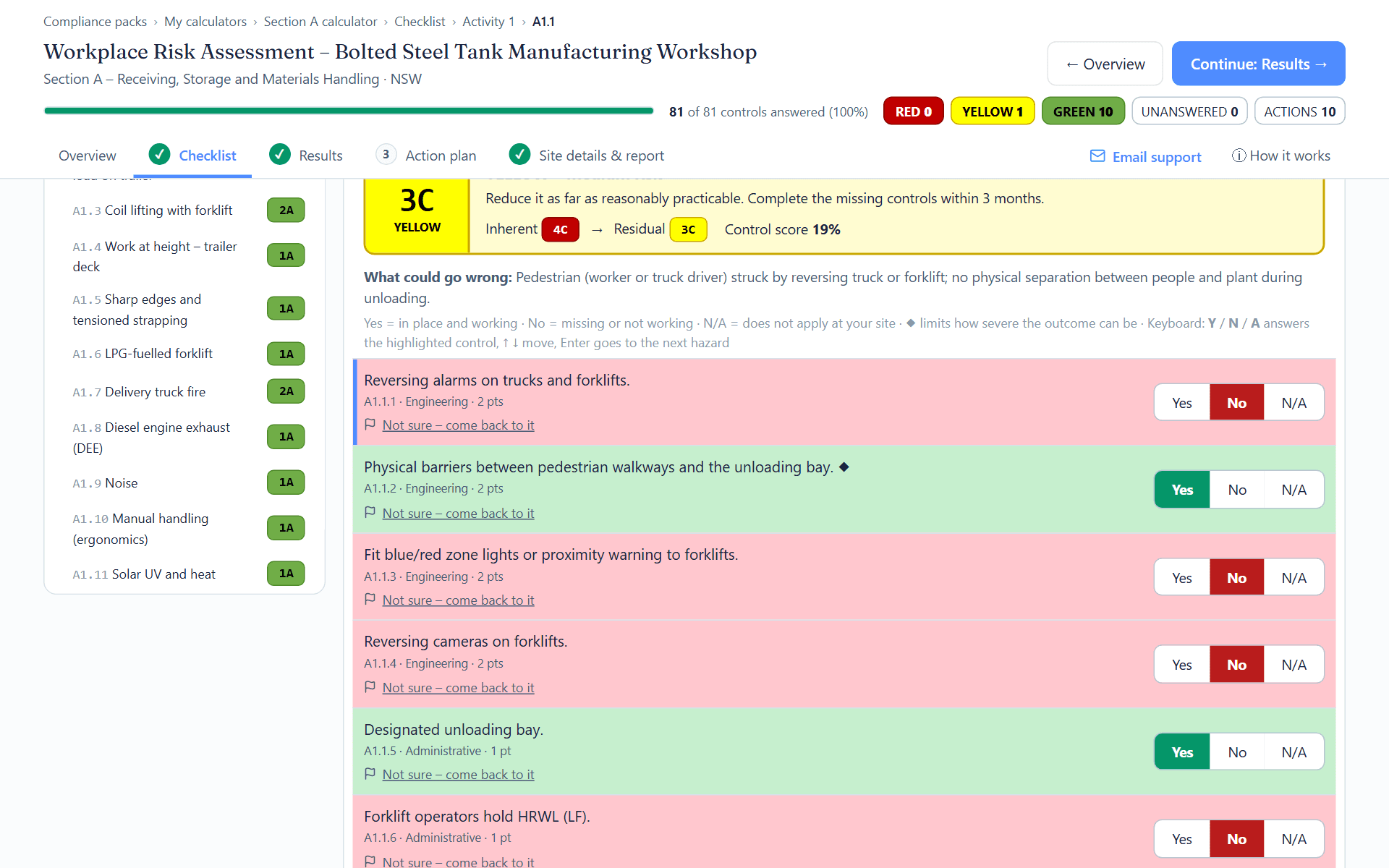
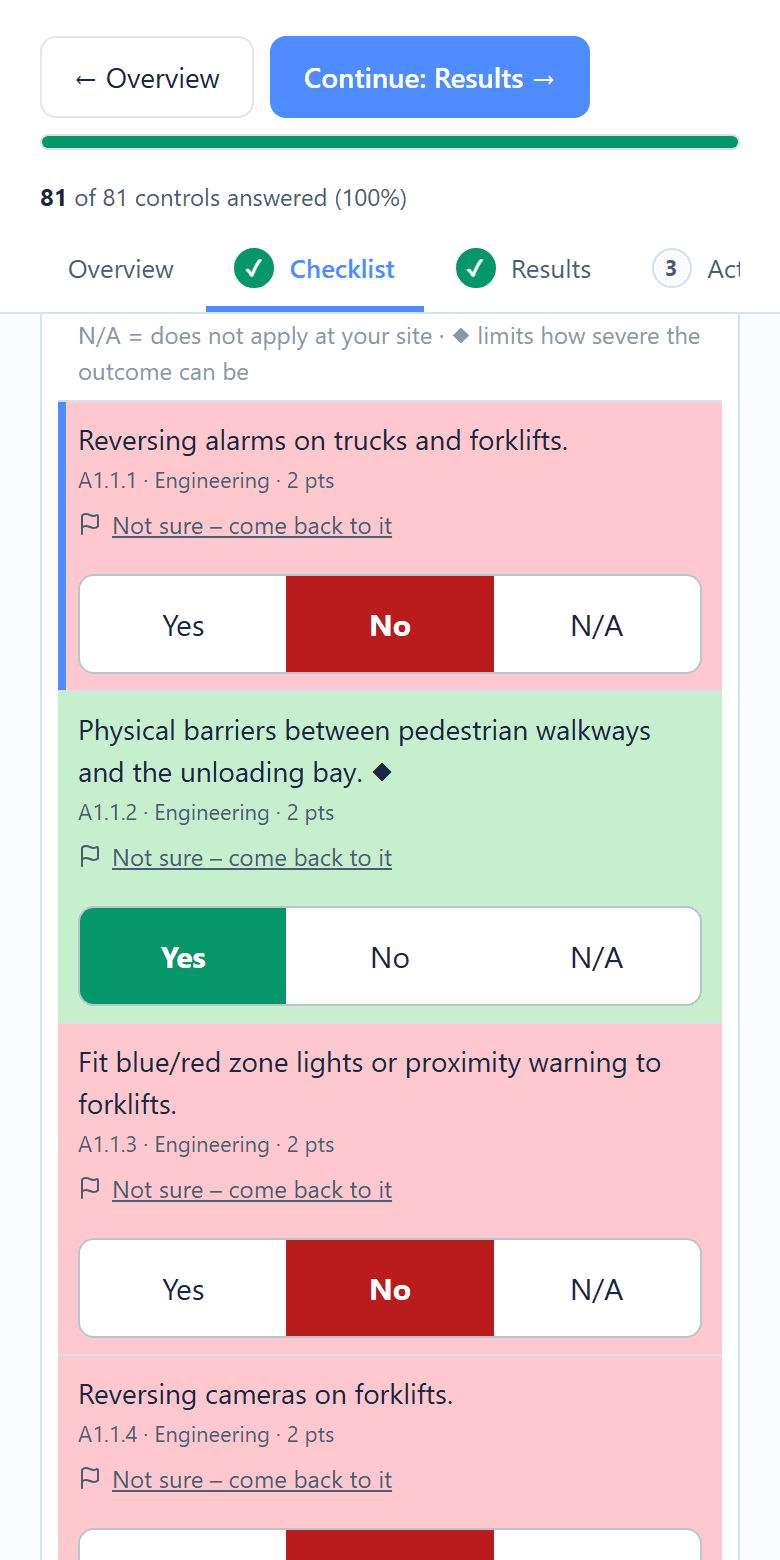
Walk the floor and answer Yes, No or N/A
Pick a hazard on the left and answer each control: Yes if it is in place and working today, No if it is missing or not working, N/A if it cannot apply at your site. If you cannot tell yet, flag it “Not sure – come back to it” and keep walking. Every answer saves as you make it.
- STEP 3
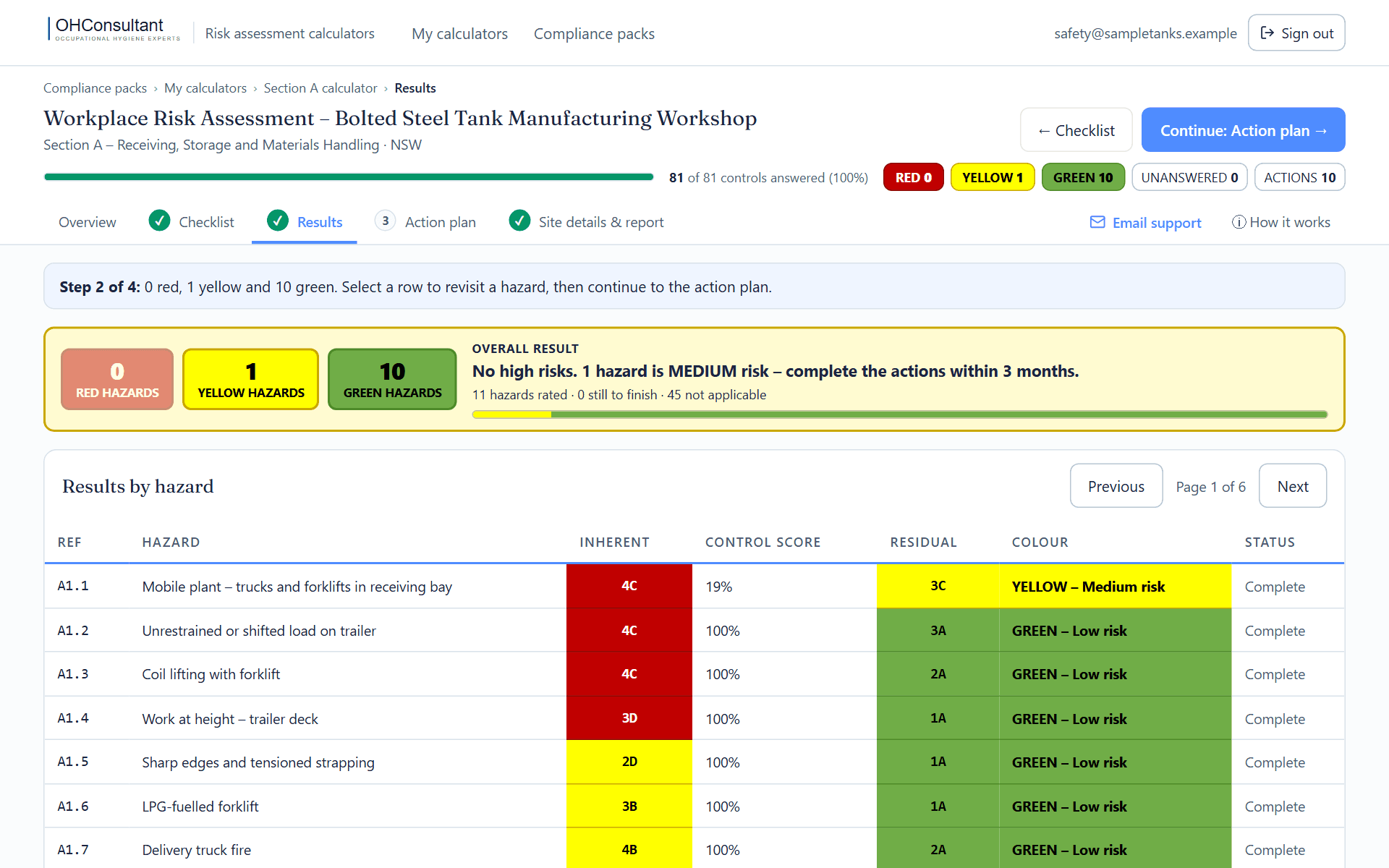
See the residual risk for every hazard
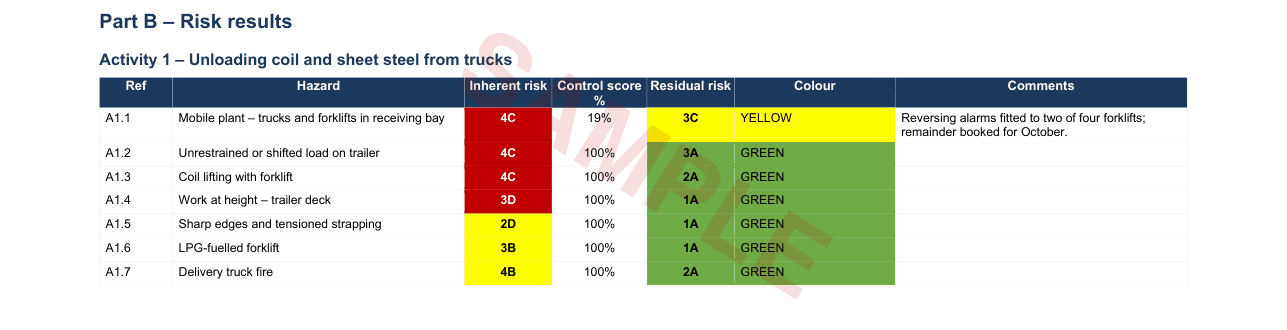
As soon as all of a hazard’s controls are answered it is rated RED, YELLOW or GREEN – the risk that remains with your controls as they really are. The colours and codes are the same ones printed in your report.
- STEP 4
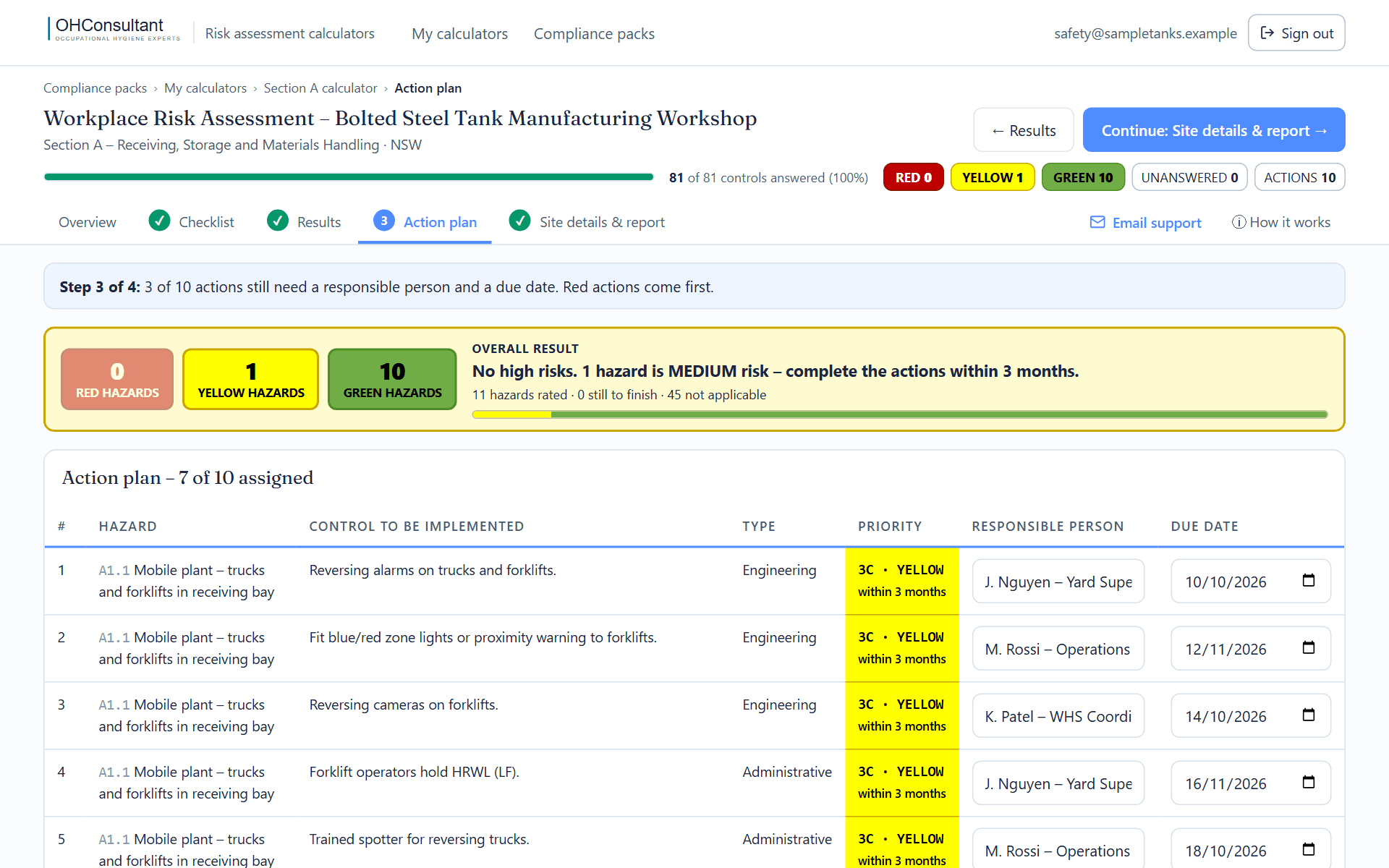
Get an Action Plan, most urgent first
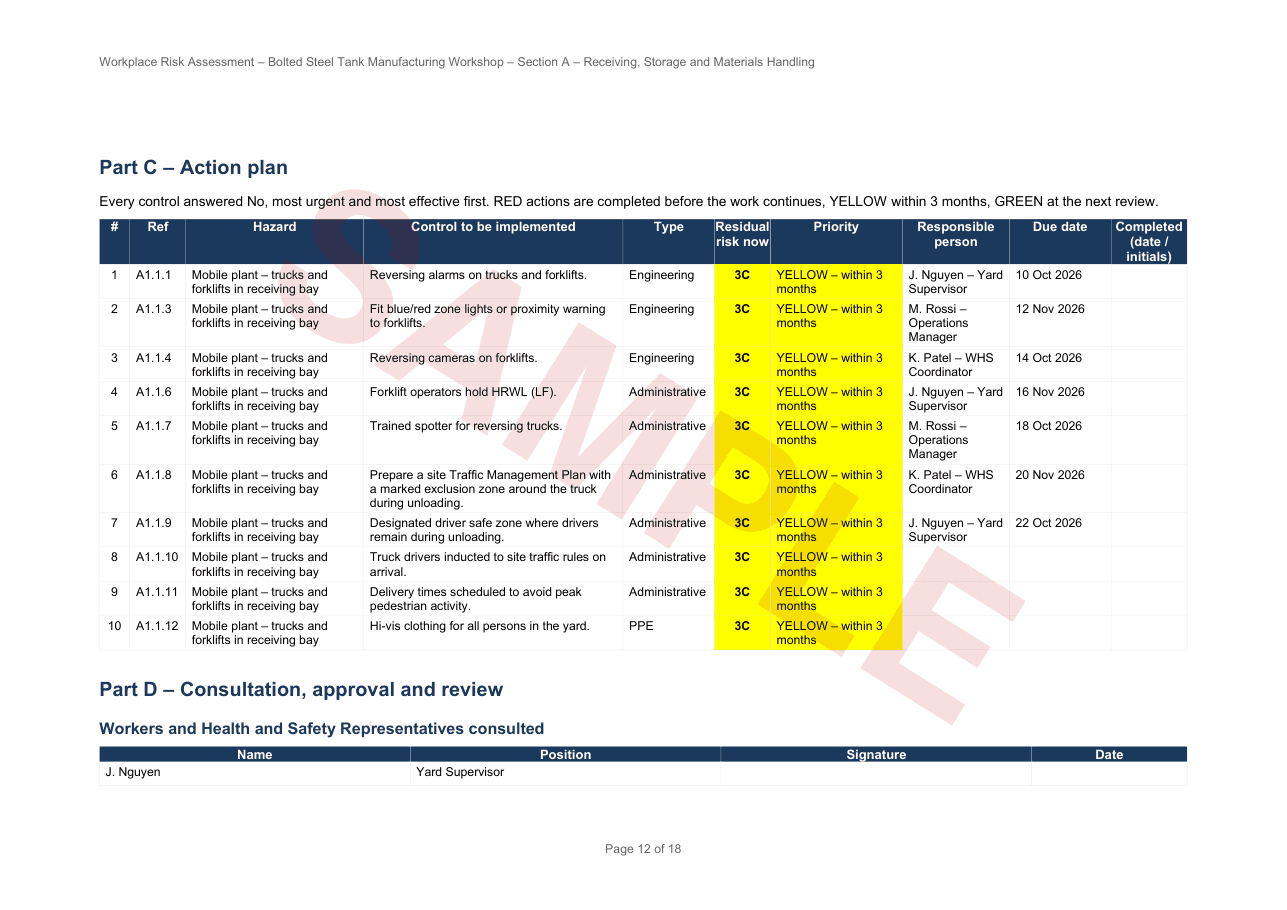
Every control you answered No becomes an action, ordered by the colour of its hazard and then by how effective the control is. Give each one a responsible person and a due date.
- STEP 5
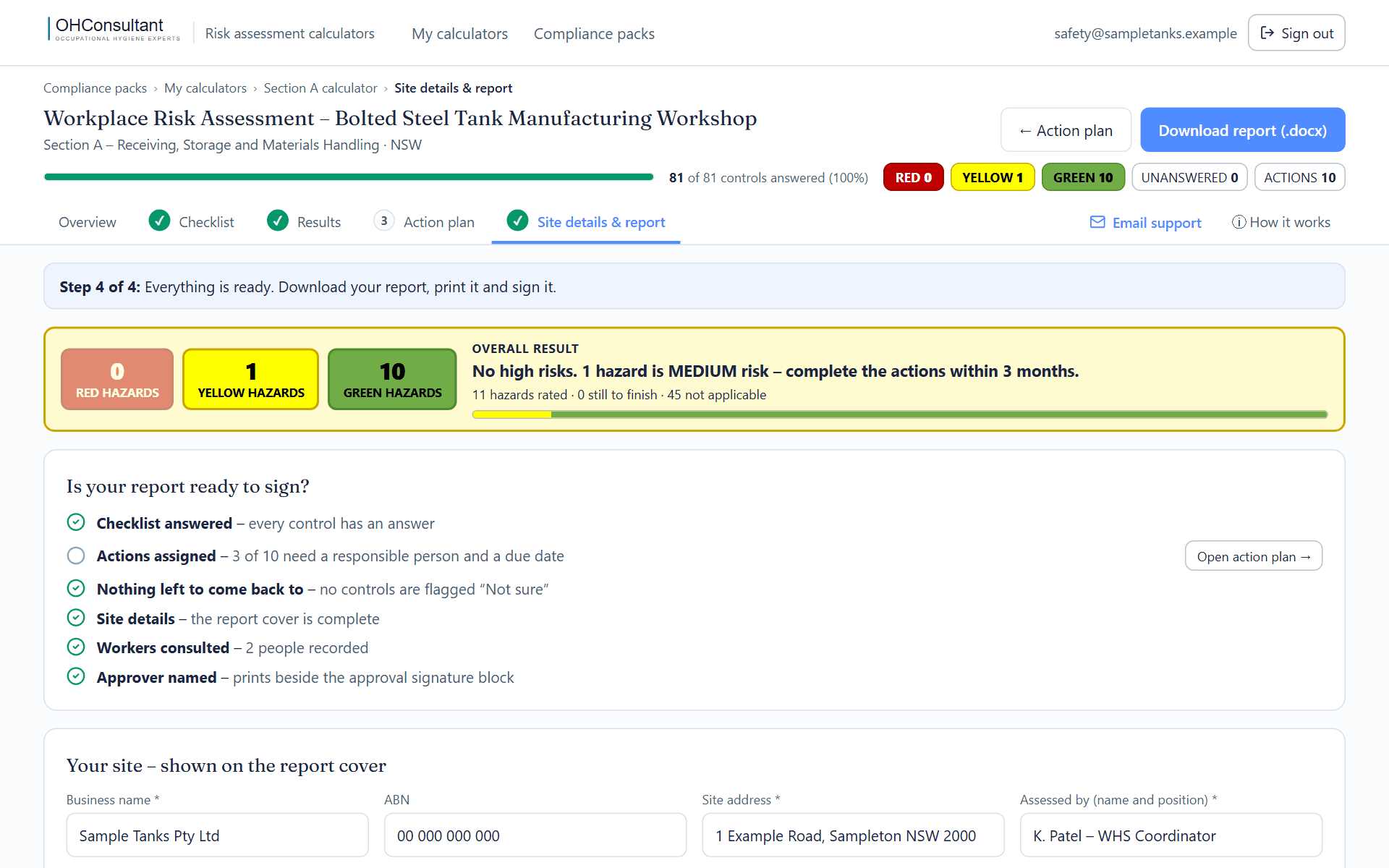
Download the Word report, print it and sign it
Add your site details, the workers you consulted and who approves the assessment. A readiness list shows anything still missing. The report downloads as an editable Word document, and every version you download is kept so it can be produced again.
Score one real hazard yourself
This is hazard A1.1 from Section A, exactly as it appears in the product. With no controls it is rated 4C – red. Answer its 12 controls for your own receiving bay, or use a scenario, and watch the result move.
The Word report
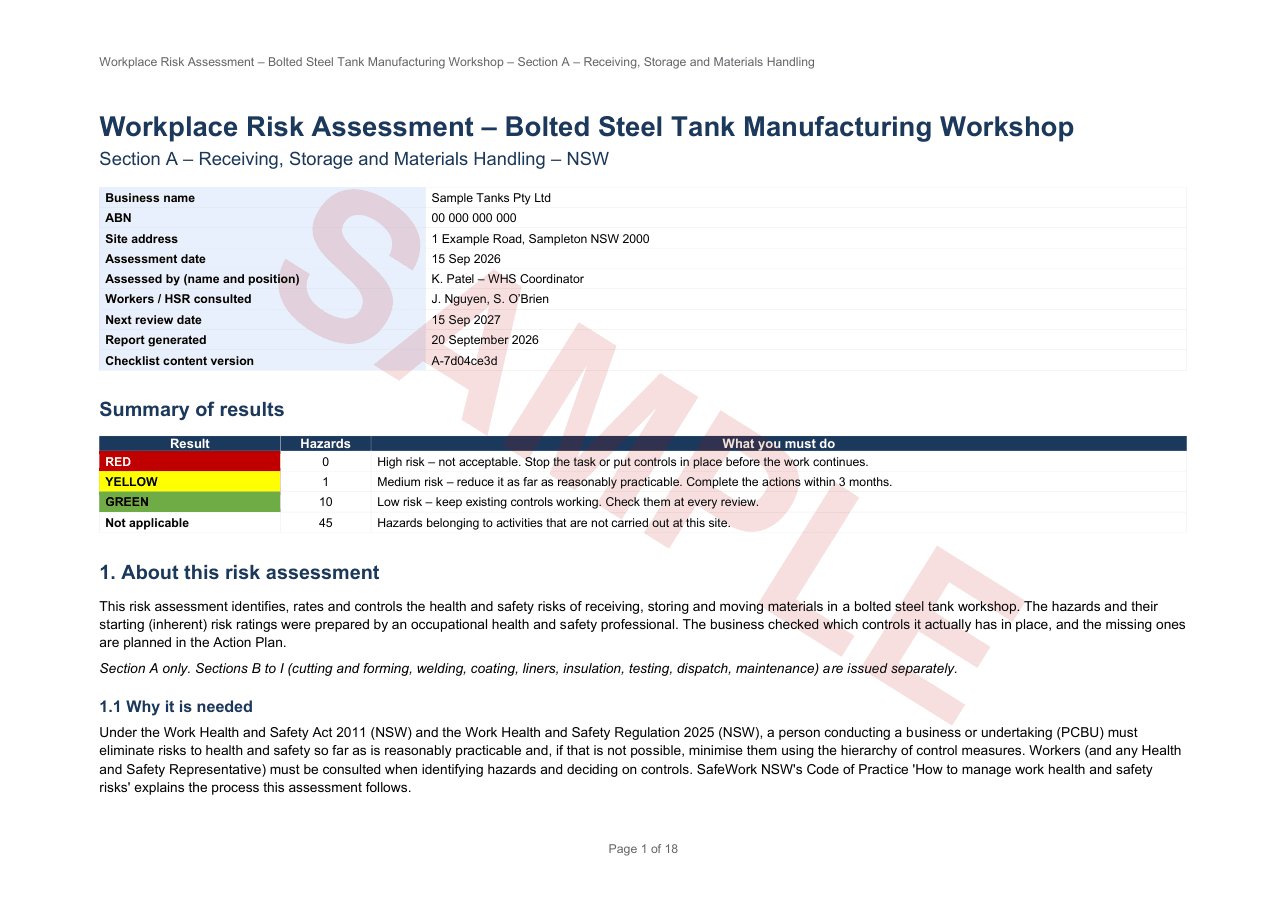
One editable Word document: how the ratings work, your hazard register, the results, the Action Plan, every checklist answer and the signature blocks. These are pages from a sample report for the made-up company in the screens above.
Built to be filled in where the work happens
- Phone, tablet or computer – large Yes / No / N/A buttons on a phone; keyboard answering (Y, N, A) at a desk.
- Saves as you go – there is no save button. Stop any time and carry on later from any device.
- Keeps working without signal – answers are held on the device and saved when the connection returns.
- “Next unanswered” takes you straight to the next gap, and a list collects anything you flagged “Not sure”.
- A blank Word checklist comes with every section, if you would rather walk the floor with paper first.
- Help by email, and an illustrated Quick Start Guide with every purchase.
Nine sections – buy the ones you need
Take a supervisor who knows the area and at least one worker who does the task, or your Health and Safety Representative – consulting workers is a legal duty, and they know which controls are really used. Have your training and licence registers, plant inspection logs, Safety Data Sheets and any monitoring reports to hand. The times are a rough guide for the walkthrough itself.
Prices in AUD. No GST is charged. New South Wales.
Choose your sections →Good to know
Which email address should I buy with?
The one you will sign in with. A section opens for the email address used at checkout, and that address has to be verified when you create your login.
Can I buy one section first and add others later?
Yes. Each section is sold on its own and unlocks only that section; the complete workshop bundle unlocks all nine. Buy further sections with the same email address and they appear on the same “My calculators” page.
Can more than one person use it?
A purchase opens the calculator for one login – the checkout email address. Many businesses have the supervisor walk the floor with the blank Word checklist that comes with the purchase, then enter the answers under that one login.
Does it work on a phone or tablet, and without signal?
Yes. The checklist is built for a phone or tablet on the workshop floor. If you lose signal your answers are kept on the device and saved when the connection returns. You need a connection to sign in and to download the report.
Do I have to finish in one sitting?
No. Everything saves automatically. Sign in again on any device and “Resume where I left off” takes you to the next unanswered control.
Can I change answers later and download the report again?
Yes. As you complete actions, change those answers to Yes and download a fresh report. Each report you download is kept under Report history, so a signed version can always be reproduced.
What exactly do I receive?
Access to the online calculator for the section, plus a download of four files for it: the pre-written Inherent Risk Assessment in Word (every hazard with its consequence and starting risk rating), a blank Word walkthrough checklist, the illustrated Quick Start Guide (PDF) and a one-page sheet with your calculator’s web address and how to sign in. Your order email names the address to sign in with. The download link is valid for 30 days; the online calculator does not expire with that link.
Is it suitable outside New South Wales?
It is written to the Work Health and Safety Act 2011 (NSW) and the Work Health and Safety Regulation 2025 (NSW). The hazards and controls are relevant to any bolted steel tank workshop, but the legal references are for NSW.
Does it replace advice from a safety professional?
No. It is a structured way to assess the hazards it covers and to record the result. Hazards at your site that are not in the checklist go under “Additional hazards”, and you should get competent advice on their controls.
Ready to assess your workshop?
Choose one section or the complete workshop. You can sign in and start as soon as the payment goes through.
See the sections and buy →